Moodle Academy in Sri Lanka | Edu Tech Sri Lanka

Welcome to Edu Tech Sri Lanka LMS

Master Moodle with Sri Lanka’s Official Certified LMS Partner

Edu Tech delivers comprehensive, role-specific Moodle LMS training designed to build institutional confidence and drive platform adoption. As Sri Lanka’s first and only Moodle Certified Partner, we provide practical, hands-on capacity building for higher education faculties, school networks, and corporate HR divisions.

Our training programs are customized to your exact operational requirements—covering everything from basic course setup and interactive content creation to advanced question bank management, AI-enhanced learning tools, and core system administration.

  • On-Site Hands-On Workshops: Interactive classroom sessions conducted at your institution or corporate premises for real-time practice and immediate Q&A.
  • Live Interactive Webinars: Remote instructor-led training tailored for geographically distributed teaching faculties and corporate teams via video conference.
  • Role-Based Certification Tracks: Structured learning paths customized separately for Moodle Administrators, Course Creators, Teachers, and System Operators.
  • Self-Paced Asynchronous Courses: Dedicated Moodle-hosted learning modules featuring video walkthroughs, practical exercises, and automated knowledge checks.
  • 1-on-1 Technical Mentoring: Deep-dive coaching for IT teams and sysadmins covering server hosting, backup recovery, security hardening, and plugin management.
  • AI-Enhanced Moodle Workshops: Specialized training on integrating AI tools to automate course drafting, quiz generation, and adaptive learning pathways within Moodle.
  • Assessment & Proctored Exam Masterclasses: Advanced training on creating secure question banks, configuring complex scoring schemes, and managing anti-cheat proctored environments.
  • Sector-Specific Customized Training: Workflows tailored directly to higher education standards, TVET programs, or corporate compliance and onboarding requirements.
  • Embedded Micro-Learning Libraries: Short video tutorials, SCORM packages, and user guides built directly into your organization’s Moodle instance for continuous reference.
  • Periodic Refresher & Onboarding Support: Scheduled follow-up training sessions to onboard new faculty members, introduce Moodle version updates, and address platform adoption gaps.

Our Training in Action

A glimpse of the Moodle training programs we have delivered for government, international and corporate partners.

International
Image Placeholder
Colombo Plan Training

Intensive Moodle workshops for international delegates under the Colombo Plan programme.

Virtual
Image Placeholder
Online Training
Online Training

Live interactive webinars and self-paced courses for remote and distributed teams.

Corporate
Image Placeholder
CSE Training
CSE Training

Hands-on Moodle training sessions conducted for the Colombo Stock Exchange (CSE) team.

On-Site
Image Placeholder
On-Site Workshop
On-Site Workshops

Customized classroom and computer-lab training at our clients’ own premises.

Training Programs

Choose the delivery format that best fits your organization’s size, location and learning goals.

Target Audience

Foreign delegations, international project teams, donor-funded implementations (e.g., UNDP, ADB, World Bank projects), and regional higher education institutions.

Delivery Mode

Full-day interactive classroom in a dedicated training facility or host hotel.

Inclusions

Morning Refreshments, Buffet Lunch, and Evening Tea.

Key Focus

End-to-end platform mastery—covering system architecture, role management, custom workflows, advanced assessment engine setup, SCORM/H5P integration, analytics, and administrator-level troubleshooting. Includes a hands-on capstone project using a live sandbox environment.

Target Audience

Corporate HR departments, corporate universities, private sector training teams, and fast-track institutional clients.

Delivery Mode

Intensive full-day workshop.

Inclusions

Morning Refreshments, Lunch, and Evening Tea.

Key Focus

High-impact upskilling focused on core operational needs—course structure setup, question bank management, user enrollment, activity completion tracking, and basic report generation.

Target Audience

Distributed corporate teams, remote educators, self-paced professional learners, and budget-conscious organizations.

Delivery Mode

Synchronous (live interactive webinars via Zoom/Teams) or Asynchronous (self-paced Moodle course with practical assignments), or a Hybrid model.

Inclusions

Digital course materials, recorded live sessions, downloadable reference guides, and dedicated online Q&A forums.

Key Focus

Flexible, modular learning covering specific target competencies (e.g., “Designing Interactive H5P Content,” “Moodle Question Bank & Quizzing Masterclass,” or “Moodle Site Administration”).

Target Audience

Enterprise clients, universities, and government agencies preferring training on their own infrastructure, policies, and production/staging instances.

Delivery Mode

In-house classroom/computer lab sessions at the client’s location.

Inclusions

Pre-workshop site assessment, customized curriculum tailored to the client’s customized Moodle setup, and post-workshop support.

Key Focus

Role-based practical training using the client’s live or staging platform, resolving company-specific workflow challenges, and training internal champions (Train-the-Trainer model).

One-Day Courses

Five focused, hands-on one-day courses with detailed morning and afternoon schedules, practical modules and clear learning outcomes.

Master Day-to-Day Platform Operations, User Management, and Course Governance Without Writing Code

Duration: 1 Day (6 Hours) Format: Interactive Hands-on Workshop
Executive Summary

Running a successful Learning Management System requires strong educational governance, organized course hierarchies, and smooth user administration. This intensive course teaches non-technical administrators how to manage Moodle’s day-to-day operations efficiently while keeping the platform organized and user-friendly.

Detailed Syllabus
Morning Session: Core Setup & User Management (3 Hours)
Module 1: System Hierarchy & Navigation
  • Navigating the Site Administration dashboard confidently.
  • Setting up Site Categories, Sub-categories, and Course templates.
  • Customizing front-page layouts, navigation blocks, and user dashboards.
Module 2: User Accounts, Roles & Security
  • Manual user creation, bulk user uploads (CSV files), and profile field customization.
  • Understanding System Contexts vs. Course Contexts.
  • Assigning and overriding user roles (Teacher, Non-editing Teacher, Student, Manager).
  • Cohorts creation and dynamic group enrollments.
Afternoon Session: Course Governance, Assessment & Tracking (3 Hours)
Module 3: Course Administration & Settings
  • Default course formats (Topics, Weekly, Grid) and course visibility controls.
  • Activity Completion settings, course restrictions, and access prerequisites.
  • Managing course backups, restores, and importing activity content between courses.
Module 4: Gradebook Setup & Reporting
  • Structuring the Gradebook setup (Categories, Aggregation strategies, Weighted grades).
  • Exporting grade reports and monitoring student activity completion.
  • Utilizing default site reports: Logs, Activity Reports, and Course Completion logs.
Key Learning Outcomes
  • Confidently manage site categories, course shells, and bulk user accounts.
  • Master Moodle’s role and capability model without touching code.
  • Configure gradebooks and activity completion tracking to monitor learner progress.
  • Maintain a clean, organized, and easy-to-navigate LMS ecosystem.
Who Should Attend

Course Coordinators, Academic Administrators, School Registrar Staff, HR Training Officers, and non-technical LMS Managers.

Bridge the Gap Between Technology and Effective Teaching to Build Engaging Digital Learning

Duration: 1 Day (6 Hours) Format: Hands-on Design Workshop
Executive Summary

Great EdTech is built on sound educational practice. This course equips educators and trainers with practical frameworks to convert traditional lectures or PDFs into interactive, engaging, and mobile-friendly online learning experiences that minimize student cognitive fatigue.

Detailed Syllabus
Morning Session: Pedagogical Frameworks & Content Chunking (3 Hours)
Module 1: Modern Learning Psychology & Cognitive Load
  • The fundamentals of digital pedagogy: ADDIE, Bloom’s Taxonomy in digital spaces, and Gagne’s 9 Events.
  • Analyzing user personas: Designing for adult corporate learners vs. academic students.
  • Strategies to reduce cognitive overload in digital learning environments.
Module 2: Content Structuring & Storyboarding
  • Breaking long lectures/documents into bite-sized learning pathways (“Chunking”).
  • Storyboarding asynchronous courses: Blending text, video, graphics, and reflection.
  • Structuring clear learning objectives and progressive learning outcomes.
Afternoon Session: Interactive Content & Engagement (3 Hours)
Module 3: Designing Interactive Digital Media
  • Designing clear visual hierarchies for LMS course pages.
  • Selecting the right media format: Screencasts, audio clips, graphics vs. text.
  • Incorporating active learning strategies: Discussion prompts, peer reviews, and interactive self-checks.
Module 4: Feedback Loops, Assessment & Evaluation
  • Formative vs. Summative digital assessment strategies.
  • Writing effective, actionable feedback for digital quizzes and assignments.
  • Evaluating course success: Gathering student feedback and iterating course design.
Key Learning Outcomes
  • Convert static training manuals and decks into structured digital courses.
  • Reduce student cognitive load using modern content chunking techniques.
  • Design engaging learning pathways with balanced media and active self-checks.
  • Create meaningful assessment tools that provide immediate, constructive feedback.
Who Should Attend

Teachers, University Lecturers, Corporate Trainers, Curriculum Developers, and E-learning Content Authors.

Secure, Reliable, and Stress-Free Digital Assessment Management at Scale

Duration: 1 Day (6 Hours) Format: Technical-Practical Assessment Workshop
Executive Summary

Running high-stakes online examinations requires precision setup, strict anti-cheating protocols, and infrastructure readiness. Learn how to configure Moodle’s Quiz engine, organize question banks, enforce remote proctoring parameters, and keep exam operations running smoothly under high student loads.

Detailed Syllabus
Morning Session: Quiz Architecture & Question Bank Mastery (3 Hours)
Module 1: Advanced Question Bank Structuring
  • Organizing Question Categories, Tags, and Sub-categories.
  • Mastering core question types: Multiple Choice, Matching, Short Answer, Essay, and Cloze (Embedded).
  • Building randomized question sets and dynamic quiz variants to prevent answer sharing.
Module 2: Quiz Engine Configuration & Security
  • Timing controls, grace periods, and auto-submission settings.
  • Secure quiz behaviors: Shuffling choices, immediate feedback vs. deferred feedback.
  • Access restrictions: Subnet/IP restrictions, browser security locks, and password protections.
Afternoon Session: Proctoring, Operations & High-Concurrency Prep (3 Hours)
Module 3: Remote Proctoring & Integrity Verification
  • Integrating automated/live proctoring workflows and browser monitoring tools.
  • Screen recording, webcam verification, and identity check setups.
  • Detecting suspicious behaviors and managing flagged candidate logs.
Module 4: Live Exam Management & Contingency Handling
  • Pre-exam server stress verification and contingency checklists.
  • Managing live student issues: Connection drops, time extensions, and session overrides.
  • Exporting exam logs, grading essay questions, and releasing feedback securely.
Key Learning Outcomes
  • Build randomized, cheat-resistant question banks and quiz configurations.
  • Implement network, browser, and proctoring security layers.
  • Handle live exam troubleshooting (reconnections, time extensions) smoothly.
  • Execute large-scale digital assessments with confidence and integrity.
Who Should Attend

Academic Examiners, Evaluation Officers, Assessment Coordinators, IT Support Leads, and Exam Administrators.

Optimize, Secure, and Scale Your Moodle Infrastructure for High-Traffic Demands

Duration: 1 Day (6 Hours) Format: Lab-Based Deep Dive
Executive Summary

Tailored specifically for system administrators and IT technical teams, this lab-focused course covers the essential backend infrastructure required to keep Moodle fast, highly available, and secure—especially during peak stress events like high-concurrency online exams.

Detailed Syllabus
Morning Session: Architecture Stack & Performance Tuning (3 Hours)
Module 1: Moodle Server Architecture & Stack Optimization
  • Sizing and configuring Linux environments (Ubuntu/RHEL), Web Servers (Nginx/Apache), and PHP-FPM.
  • MySQL/MariaDB database configuration: OpCode caching, query buffer tuning, and connection limits.
  • Moodle Directory permissions, Cron job optimization, and task scheduling architecture.
Module 2: Caching Acceleration & Session Management
  • Configuring Moodle Universal Cache (MUC) with Redis / Memcached.
  • Session storage offloading (Redis session handling for high concurrency).
  • Storage optimization: Managing moodledata, file directory structures, and CDN integration.
Afternoon Session: Security, Load Testing & High Concurrency (3 Hours)
Module 3: Security Hardening & Automated Backup Systems
  • File system security, path permissions, and SSL/TLS best practices.
  • Automated database dumps and file-level snapshot backup strategies.
  • Disaster recovery testing and instant rollback procedures.
Module 4: Stress Testing & Server Monitoring
  • Simulating thousands of concurrent exam takers using Apache JMeter.
  • Identifying bottlenecks: CPU throttling, Memory leaks, Database locks, and I/O wait times.
  • Setting up real-time server monitoring dashboards (HTop, Netdata, Prometheus/Grafana).
Key Learning Outcomes
  • Configure and fine-tune PHP, Web Servers, and Databases for Moodle.
  • Offload sessions and implement Redis caching to handle sudden traffic spikes.
  • Run realistic load tests with Apache JMeter to benchmark server concurrency limits.
  • Harden server security and establish automated backup/disaster recovery protocols.
Who Should Attend

System Administrators, DevOps Engineers, Cloud Infrastructure Leads, and Senior Technical Moodle Specialists.

Design and Deploy Bite-Sized, High-Impact Digital Learning for Today’s Learners

Duration: 1 Day (6 Hours) Format: Practical Content Creation Workshop
Executive Summary

Modern learners prefer fast, targeted, and mobile-first training modules. This practical course walks you through the strategy, content design, and digital tools behind microlearning—helping you transform long-form training manuals into engaging, bite-sized learning objects inside your LMS.

Detailed Syllabus
Morning Session: Microlearning Strategy & Mobile First Design (3 Hours)
Module 1: Foundations of Microlearning
  • What is Microlearning (and what it isn’t): Single Learning Objective (SLO) focus.
  • Cognitive benefits: Combatting the forgetting curve and increasing retention.
  • Identifying ideal microlearning use cases: Just-in-time performance support, compliance training, and skill reinforcement.
Module 2: Scripting & Mapping Bite-Sized Content
  • Deconstructing 1-hour lectures into 3–5 minute bite-sized nuggets.
  • Writing concise, action-oriented video scripts and visual copy.
  • Mobile-first design principles: UI/UX considerations for smartphone learning.
Afternoon Session: Interactive Creation & Gamification (3 Hours)
Module 3: Interactive Tooling with H5P & LMS Integration
  • Hands-on creation of interactive content using H5P (Interactive Videos, Cards, Accordions, Branching Scenarios).
  • Embedding micro-content seamlessly into Moodle / LMS modules.
  • Standardizing assets with SCORM / xAPI tracking.
Module 4: Micro-Assessments, Badging & Learner Motivation
  • Designing 60-second knowledge checks and micro-quizzes.
  • Gamification strategies: Digital Badges, completion rewards, and leaderboards.
  • Measuring engagement metrics and completion rates.
Key Learning Outcomes
  • Re-architect long-form curriculum into bite-sized, 3-to-5-minute learning nuggets.
  • Build interactive mobile-friendly learning objects using H5P and multimedia tools.
  • Implement digital badges and gamification mechanics to increase completion rates.
  • Measure microlearning retention and engagement metrics inside your LMS.
Who Should Attend

Corporate L&D Managers, Professional Trainers, Instructional Designers, HR Executives, and Mobile Content Creators.

Diploma in Moodle LMS Administration

A professional, hands-on certification for the people who build, secure and run Moodle platforms.

Program Overview

Total Duration

60 Hours (12 Weeks / 5 Hours per week, or a 5-Day Fast-Track Bootcamp)

Delivery Mode

Blended (Instructor-Led Live Workshops + Hands-On Cloud Sandbox Lab)

Certification

Professional Diploma in Moodle LMS Administration (upon completion of all module assessments and a hands-on Capstone Project)

Target Audience

IT Administrators, Systems Engineers, LMS Administrators, Instructional Technologists, Higher Education IT Staff, and Corporate L&D System Owners.

Prerequisites

Basic knowledge of web server administration (Linux/Windows), fundamental networking concepts, and familiarity with database management concepts.

Course Curriculum & Module Structure

  • Moodle Architecture & Stack Requirements: Understanding the LAMP/LEMP stack (Linux, Apache/Nginx, MySQL/MariaDB/PostgreSQL, PHP) and hardware sizing based on concurrent user load.
  • Environment Configuration: PHP extension setup (gd, mbstring, curl, xml, zip, intl, soap), file upload limits (post_max_size, upload_max_filesize), and memory allocation (memory_limit).
  • Data Directory & Database Setup: Establishing secure moodledata directory permissions outside the web root, configuring database character sets (utf8mb4_unicode_ci), and database user privileges.
  • Command Line Interface (CLI) & Web Installation: Executing full Moodle installation via web browser interface and Git/CLI; establishing environment variables.
  • Moodle Cron Task Scheduling: Configuring system-level Cron jobs (Linux crontab / Windows Task Scheduler) for automated background processing, messaging, and scheduled maintenance.

  • Global Site Configuration: Managing site identity, front page settings, default formats, system notifications, and maintenance mode.
  • Theme Management & Branding: Installing, configuring, and extending Moodle themes (Boost and custom themes); applying corporate brand guidelines, custom CSS overrides, logos, favicons, and global navigation menus.
  • Language & Localization Settings: Installing language packs, customizing language strings through local translation tools, setting timezone defaults, and managing multi-language content filters.
  • File Management & Repositories: Managing file size limits, drafting area cleanup, enabling repositories (Google Drive, OneDrive, Amazon S3, Server Files, Local File System), and configuring media embedding filters.

  • Authentication Methods: Configuring manual accounts, email-based self-registration (with reCAPTCHA), bulk CSV user importing, and single sign-on (SSO) integrations (OAuth 2.0, Google, Microsoft 365, SAML 2.0, LDAP).
  • Role-Based Access Control (RBAC): Understanding Moodle’s context levels (System, Category, Course, Block, Activity); managing standard roles (Administrator, Manager, Course Creator, Teacher, Non-editing Teacher, Student).
  • Custom Roles & Capability Overrides: Defining custom roles (e.g., Auditor, Parent/Mentor, Department Head), modifying role permissions, and assigning context-specific capabilities.
  • User Cohorts & Custom Profile Fields: Creating global and category-level Cohorts for mass enrollment; designing custom profile fields to capture employee IDs, departments, or national identity details.

  • Category Structure & Hierarchy: Designing scalable course category trees, sub-categories, hidden categories, and assigning category-level permissions.
  • Course Creation & Defaults: Setting site-wide default course settings, course formats (Topics, Weekly, Grid, Single Activity), completion tracking defaults, and course backup templates.
  • Enrolment Methods & Plugins: Configuring Manual Enrolment, Self-Enrolment (with enrollment keys and duration limits), Cohort Sync, Guest Access, Category Enrolments, and Course Meta Link bindings.
  • Groups & Groupings Management: Setting up course-level Groups, Groupings, and auto-created groups for multi-tenancy, cohort isolation, or team-based activity access.

  • Plugin Lifecycle Management: Navigating the Moodle Plugin Directory; installing, testing, upgrading, and uninstalling plugins; performing database checks before plugin deployment.
  • Interactive Content Standards Setup: Configuring SCORM package execution parameters, player settings, and grading policies; setting up H5P integration, content bank storage, and external tool integrations (LTI 1.3 / Advantage).
  • Payment Gateway Integration: Configuring Moodle Payment Accounts and integrating local or international payment gateways (PayHere, PayPal, Stripe) for automated course self-purchase workflows.
  • Web Services & REST APIs: Enabling Moodle Web Services, managing security tokens, defining external services, and integrating Moodle with third-party ERP, HRIS, or CRM tools.

  • Site Security Hardening: Executing Moodle’s built-in Security Check report; enforcing password policies, account lockouts, HTTP security headers, CORS settings, and IP address blocking.
  • Data Privacy & Compliance (GDPR/DPA): Setting up the Data Privacy plugin suite; defining data retention policies, managing terms of service/site policies, handling user data access requests, and managing user consent logs.
  • Spam Prevention & Content Protection: Implementing Google reCAPTCHA, honeypots, email domain restrictions, media download protections, and secure browser settings for high-stakes assessments (e.g., Safe Exam Browser).

  • Caching Architecture: Configuring Moodle Application Caching (MUC); establishing Redis or Memcached instances for session handling, application caching, and request acceleration.
  • Database & Web Server Optimization: Tuning PHP-FPM, OPCache, MySQL/MariaDB query caches, Nginx/Apache worker connections, and dynamic content compression.
  • Automated Backup & Disaster Recovery: Setting up automated course backups, site-wide database dumps, and moodledata backup schedules; performing full site restoration and disaster recovery drills.
  • System Upgrades & Migration: Executing minor security updates and major version upgrades via CLI; managing staging-to-production deployment workflows; migrating Moodle sites across VPS, dedicated servers, or cloud infrastructure (AWS/Azure).

  • Custom Reporting & SQL Queries: Utilizing Moodle’s Custom Reports builder; installing and writing ad-hoc SQL queries using Configurable Reports plugins for custom executive dashboards.
  • Moodle Learning Analytics Engine: Configuring built-in analytics models, machine learning backends, predictive models for students at risk of dropping out, and automated notifications to instructors.
  • Scheduled Tasks & Automation Engine: Managing scheduled task execution times, monitoring task logs, handling failed ad-hoc tasks, and troubleshooting queue backlogs.
  • System Event Auditing & Log Management: Analyzing site logs, live logs, event monitoring rules, trigger alerts for specific system actions, and integrating external log management systems.

Program Delivery & Assessment Framework

60-Hour Diploma Learning Roadmap
30 Hrs

Theoretical & Hands-On Instruction

30 Hrs

Practical Lab Sandbox Execution

Assessment Framework
20%

Weekly Knowledge Checks

30%

Lab Exercises & Configuration Tasks

20%

Comprehensive Final Written Exam

30%

End-to-End Capstone Project

  1. Practical Lab Exercises (30%): Weekly hands-on lab submissions executed on a personal cloud sandbox instance (e.g., configuring SAML SSO, setting up a custom role matrix, tuning Redis cache).
  2. Knowledge Check Quizzes (20%): Eight module-end online assessments covering theoretical concepts, CLI commands, and security best practices.
  3. Comprehensive Examination (20%): A 2-hour online exam consisting of scenario-based multiple-choice questions and system troubleshooting case studies.
  4. Capstone Project (30%): Real-world deployment project where each student builds, secures, customizes, and optimizes a fully operational Moodle instance according to a strict enterprise requirements specification.

Students must complete the following end-to-end task scenario on a fresh cloud VPS instance:
  • Task 1 – Server Setup: Install Moodle via Git/CLI on Linux (Ubuntu/Debian) with PHP, Nginx, and MariaDB; configure SSL certificates and system Cron.
  • Task 2 – Branding & Roles: Apply a customized theme with company logos, custom navigation, and create a custom “Department Supervisor” role with targeted capability restrictions.
  • Task 3 – Integration & Security: Configure OAuth2 authentication, install an external payment plugin or H5P integration, enforce security hardening policies, and clear all Moodle security check warnings.
  • Task 4 – Reporting & Backup: Create a custom ad-hoc SQL report for site-wide user completion tracking, configure automated server backups, and perform a dry-run restoration on a secondary environment.

Provided to Students
  • Dedicated Cloud VPS Instance (2 vCPU, 4GB RAM, Ubuntu 22.04 LTS root access).
  • Domain name / Subdomain assignment for live SSL testing.
  • Pre-configured sample dataset (SCORM packages, H5P files, CSV user lists, course backup files).
  • Access to the official Course Repository containing command cheatsheets, SQL query templates, and configuration runbooks.
Recommended Textbooks & Reference Manuals
  • Moodle Administration Guide (Official Moodle Documentation).
  • Moodle Security and Performance Tuning Manual.
  • Enterprise LMS Integration Architecture Standards.

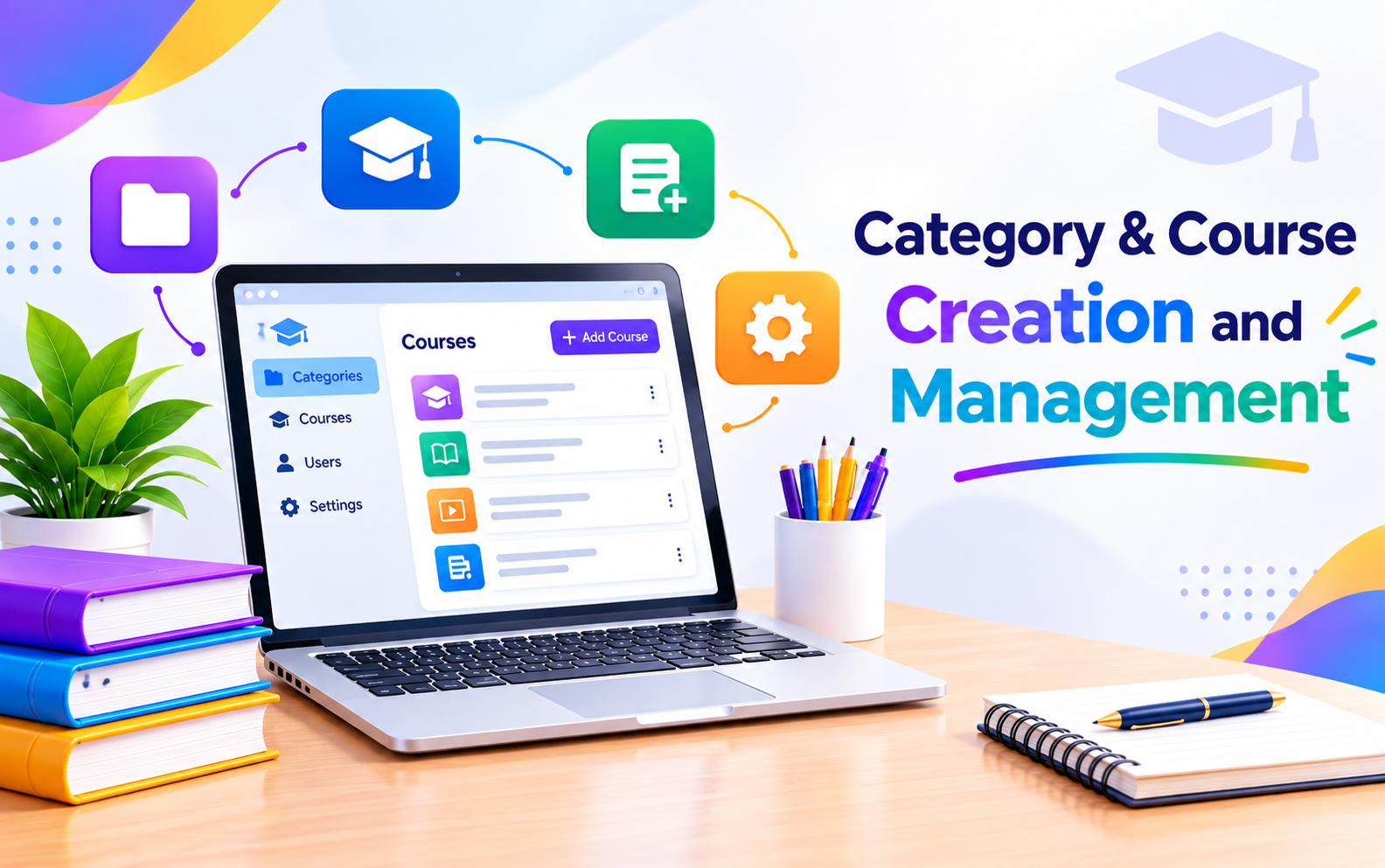
Category & Course Creation and Management

Course Banner

Latest News

Recent Moodle training programs delivered by Edu Tech Sri Lanka.

News
Image Placeholder
CSE Training News
Successful Moodle Administrator and Technical Training Conducted at the Colombo Stock Exchange
Colombo, Sri Lanka  |  2-Day Specialized Training

Strengthening enterprise-level digital learning infrastructure and operational capability, a comprehensive two-day specialized training session covering Moodle Administration and Advanced Technical Management was successfully conducted for the team at the Colombo Stock Exchange (CSE), located at #04-01, West Block, World Trade Center, Echelon Square, Colombo 00100.

The intensive program was structured to bridge the gap between high-level platform architecture and day-to-day educational operations, equipping the CSE internal team with deep technical mastery and robust administrative strategies.

Bridging Administration and Core Architecture

Modern enterprise learning management systems demand rigorous backend stability alongside seamless user management. The two-day engagement was meticulously split to address both critical pillars of Moodle ecosystem management:

Day 1: Moodle Administration & Operational Mastery
Focused on non-technical course governance, user management, cohort structuring, role definition, and gradebook optimization. Designed specifically for coordinators and administrators, this session emphasized streamlining day-to-day digital learning workflows and tracking learner engagement effectively.

Day 2: Advanced Technical Management & Infrastructure
Targeted at IT and technical professionals, this session dove deep into backend server performance, database tuning, Redis caching implementations, security hardening, and stress-testing methodologies to ensure high availability and robust system resilience.

Driving EdTech Standards Forward

By successfully concluding this specialized program at the heart of Sri Lanka’s financial capital, the initiative highlights the growing emphasis on localized technical competence and domain-driven EdTech deployment in premier national institutions.

This milestone reflects an ongoing commitment to empowering organizations with independent, scalable, and high-performance learning environments tailored to modern institutional demands.

News
Image Placeholder
Hybrid Training News
Hybrid Training Session Masterclass: Optimizing the Moodle Self-Led Course User Journey
Colombo, Sri Lanka & Spain (Online)  |  2-Day Hybrid Training

Delivering a seamless user journey for self-led learning platforms requires a balance of intuitive UI/UX design, automated tracking, and clear pedagogical pathways. To address these critical factors, an intensive Two-Day Specialized Training on the Moodle Self-Led Course User Journey was successfully conducted for international program participants.

The hybrid workshop combined in-person collaboration with cross-continental digital delivery to ensure maximum engagement across diverse time zones.

Program Structure & Highlights

Day 1: In-Person Workshop in Colombo
Hosted on the 5th Floor of the M2M Veranda Offices (No. 34, W.A.D. Ramanayake Mawatha, Colombo 00200), Day 1 brought together local stakeholders for a hands-on deep dive. The session focused on mapping self-paced learner journeys, setting up automated activity completion rules, structuring conditional access restrictions, and designing intuitive dashboard layouts that guide users effortlessly through self-led modules.

Day 2: Live Virtual Session for Trainees in Spain
Transitioning to a fully online format, Day 2 connected trainers directly with program participants in Spain. The session covered advanced analytics, self-assessment workflows, badging and progress tracking, and strategies to prevent self-led learner drop-off through targeted automated feedback loops.

Driving Global Standards in EdTech

By bridging physical and virtual classrooms across borders, this training program highlighted the power of modern Moodle architecture to support global, self-directed learning ecosystems. The successful delivery underscores a continued commitment to empowering international organizations with scalable, student-centered digital learning strategies.